Table of Contents
- Key Takeaways
- Quick Verdict
- Product Overview & Specifications
- Real-World Performance & Feature Analysis
- Design & Build Quality: Looks Better in Photos?
- Performance in Real Use: Where It Actually Shines
- Ease of Use: Effortless Setup, One Minor Annoyance
- Durability & Reliability: A Homebody, Not a Traveler
- Pros & Cons
- Comparison & Alternatives
- Cheaper Alternative: Simple Charging Stands
- Premium Alternative: Hori Joy-Con Charging Stand
- Buying Guide / Who Should Buy
- Best For Beginners
- Best For Professionals/Enthusiasts
- Not Recommended For
- FAQ
If you own more than one pair of Joy-Cons, you’ve faced the logistical nightmare of keeping them all charged. The Switch dock only charges the attached pair, leaving the others as expensive, colorful paperweights. This is the exact problem the TNS-1180 Charging Dock aims to solve, promising to juice up two pairs simultaneously while doubling as a more comfortable grip. But does it deliver in the messy reality of daily gaming life, or is it just another piece of plastic destined for the drawer? After weeks of testing, here’s what I found.
Key Takeaways
- Dual Charging is a Game-Changer: The ability to charge four Joy-Cons at once fundamentally changes how you manage your controllers, especially for multiplayer households.
- The Grip is a Significant Upgrade: It’s noticeably more comfortable for long sessions than the standard Joy-Con grip, with a texture that prevents slippage.
- LED Projection is a Novelty: The green logo light is a cool touch for a dedicated gaming setup but adds no functional value.
- Build Quality is Good, Not Great: It feels sturdy enough for home use, but the plastic construction might not withstand rough travel.
- Value is Excellent for the Right User: At around $18, it’s a cost-effective solution if you need both a charger and a better grip.
Quick Verdict
Best for: Nintendo Switch owners with 2-4 Joy-Cons who play multiplayer games regularly and want a more comfortable grip. It’s perfect for families or roommates.
Not ideal for: Gamers who only own one pair of Joy-Cons, those who primarily play in handheld mode, or anyone seeking a ultra-compact, travel-only charger.
Core Strengths: Dual charging functionality, improved ergonomic grip, excellent price-to-feature ratio, unique LED accent lighting.
Core Weaknesses: Plastic build feels a bit lightweight, LED feature is purely aesthetic, takes up more space than a simple charging stand.
Product Overview & Specifications
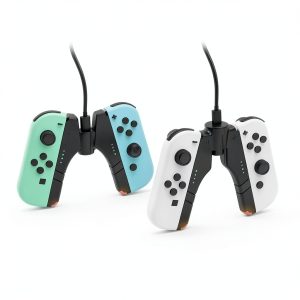
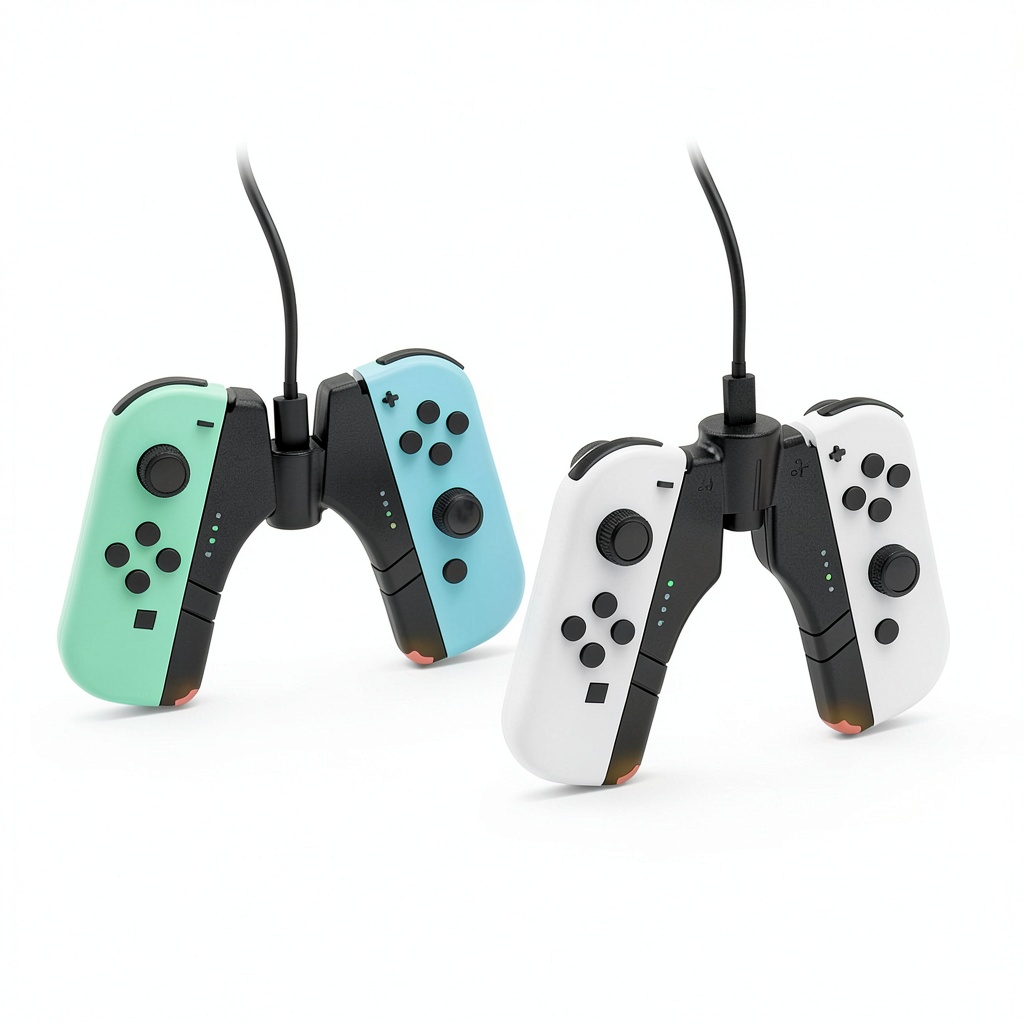
The TNS-1180 is a hybrid device that combines a charging station with a controller grip. Unlike Nintendo’s official Charging Grip, which only holds one pair and requires you to buy a separate battery, this third-party solution has a built-in base that powers up to four Joy-Cons. The unit connects to a power outlet via a USB-C cable (adapter not included) and features a small projector that casts a green logo onto your surface—a flair that’s becoming more common in gaming accessories.
| Specification | Details |
|---|---|
| Compatibility | Nintendo Switch, Switch OLED, Switch Lite (controllers only) |
| Charging Capacity | 2 Pairs (4 Joy-Cons) simultaneously |
| Connection | USB-C (5V/1.5A recommended) |
| Key Features | Dual charging, ergonomic grip, green LED projection |
| Material | ABS Plastic |
| Included | TNS-1180 Dock, USB-C Cable |
Real-World Performance & Feature Analysis
Design & Build Quality: Looks Better in Photos?
Unboxing the TNS-1180, my first impression was that it’s lighter than expected. The ABS plastic has a smooth, slightly glossy finish that looks modern but is a fingerprint magnet. It doesn’t feel cheap, but it lacks the heft of a first-party Nintendo product. The Joy-Cons slide in and out with a satisfying click, and the connection feels secure—no wobbly controllers here. The LED projector is discreetly integrated into the base. While it’s not going to win design awards, it’s perfectly functional and unobtrusive on a shelf.
Performance in Real Use: Where It Actually Shines
This is where the TNS-1180 earns its keep. The dual charging is brilliantly convenient. After a Mario Kart session with friends, I simply popped all four drained Joy-Cons into the dock. By the next morning, they were all at 100%. This eliminates the need to constantly rotate which pair is charging in the Switch dock. The charging process is straightforward: a small LED indicator near each slot lights up red when charging and turns green when complete. I experienced no issues with faulty connections or controllers not charging, which can be a problem with sketchy third-party chargers.
The grip is a massive upgrade over Nintendo’s barebones offering. The contoured shape fills your palms better, reducing cramping during multi-hour sessions in games like The Legend of Zelda: Tears of the Kingdom. It’s not as ergonomic as a Pro Controller, but it’s the best way to use Joy-Cons for traditional controller-style play.
Ease of Use: Effortless Setup, One Minor Annoyance
Setup is plug-and-play. Connect the USB-C cable to a power source (I used my Switch’s dock and a phone charger, both worked fine), and you’re done. There are no buttons or switches. The one usability quirk is that the grip must be seated correctly on the base to charge. If it’s slightly misaligned, the charging indicators won’t light up. It becomes second nature after a few uses, but it’s something to be mindful of.
Durability & Reliability: A Homebody, Not a Traveler
After several weeks of use, the TNS-1180 shows no signs of wear. The charging contacts are still firm, and the plastic hasn’t scratched. However, I wouldn’t throw it loosely into a backpack. The protruding charging pins on the base and the overall plastic construction feel designed for a permanent spot on an entertainment center. If you need a charger specifically for travel, a more compact, hardshell option would be safer.
Pros & Cons
Pros:
- Solves a real problem: Efficiently charges multiple Joy-Con pairs, ending battery anxiety.
- Comfortable grip: Makes extended gameplay with Joy-Cons actually enjoyable.
- Clear indicators: Red/green LEDs leave no guesswork about charging status.
- Good value: Combines two functions (charger + grip) at a very reasonable price.
- Fun aesthetic: The LED projection adds a personalized touch to a gaming setup.
Cons:
- Lightweight plastic: Doesn’t feel as premium as some alternatives.
- Requires precise placement: The grip must be aligned perfectly on the base to initiate charging.
- Not travel-friendly: The design is somewhat bulky and not well-suited for throwing in a bag.
- Power adapter not included: You’ll need to supply your own USB wall adapter.
Comparison & Alternatives
How does the TNS-1180 stack up against the competition? Here’s a look at a budget option and a premium alternative.
Cheaper Alternative: Simple Charging Stands
You can find basic Joy-Con charging stands for as low as $10-$12. These are minimalist docks that hold 2-4 Joy-Cons but do not function as a grip.
When to choose the cheaper stand: If you already love the standard Joy-Con grip or a Pro Controller and only need a charging solution, save the money. The stand is more compact and does the core job of charging.
When to stick with the TNS-1180: If you find the standard grip uncomfortable, the TNS-1180’s dual functionality makes it the far better value, effectively giving you two accessories for a few dollars more.
Premium Alternative: Hori Joy-Con Charging Stand
Hori, a licensed Nintendo partner, offers a well-regarded charging stand for around $25-$30. It often features a more robust build quality, individual LED indicators for each Joy-Con, and the peace of mind that comes with official licensing.
When to choose the Hori: If maximum reliability and build quality are your top priorities, and you don’t need the grip functionality, the Hori is a trusted, albeit more expensive, option.
When to stick with the TNS-1180: The TNS-1180 provides the unique combination of charging and an improved grip. If that’s what you’re after, the Hori can’t compete, making the TNS-1180 the more versatile choice for the price.
Buying Guide / Who Should Buy
Best For Beginners
If you’re new to the Switch and have just acquired a second pair of Joy-Cons for multiplayer, the TNS-1180 is an excellent first accessory. It solves the two biggest pain points—comfort and charging—in one simple device without a steep learning curve.
Best For Professionals/Enthusiasts
For the hardcore gamer or a household with multiple players, this dock is a logistical essential. It acts as a central charging hub, ensuring that a full set of controllers is always ready for game night. The improved grip also makes marathon sessions less taxing.
Not Recommended For
Avoid this product if: You only ever play in handheld mode, own just a single pair of Joy-Cons, or need a ultra-portable charger for frequent travel. In these cases, it’s an unnecessary purchase that will just take up space.
FAQ
Does the TNS-1180 work with the Nintendo Switch OLED Model?
Yes, it is fully compatible with the Joy-Cons that come with the Switch OLED Model. The Joy-Cons are identical across all Switch variants.
Can I use the grip while the controllers are charging?
No. Unlike some rare, more expensive models, the TNS-1180 requires the grip to be docked on the base to charge. You cannot play with it while it’s plugged in.
Is the LED projection feature distracting?
In a dark room, it’s noticeable but not overly bright. It can be easily covered with a small piece of tape if you find it distracting. Most will consider it a subtle ambient light.
Is the TNS-1180 worth it over Nintendo’s official Charging Grip?
Absolutely. Nintendo’s official Charging Grip only holds one pair, doesn’t include a battery (it’s just a passthrough for a USB-C cable), and is significantly more expensive. The TNS-1180 offers better functionality and value.
How long does it take to fully charge a pair of Joy-Cons?
From a completely dead state, it takes about 3.5 hours to fully charge a pair, which is standard and on par with charging via the Switch console.
Final Thought: If you’re tired of the Joy-Con charging shuffle and want a more comfortable way to play, the TNS-1180 is a smart, affordable buy that delivers on its core promises without any fuss.