Table of Contents
You’re in the middle of an intense gaming session, your team is counting on you, and suddenly—your controller dies. We’ve all been there, scrambling for AA batteries or fumbling with cables while your character stands helpless. The search for a reliable Xbox Series X battery charger isn’t just about convenience; it’s about eliminating those frustrating moments that break your gaming flow.
After testing multiple charging solutions over the years, I’ve learned that not all battery chargers deliver on their promises. Some struggle with battery life, others with build quality, and many fail the real-world test of fitting seamlessly into your gaming setup. The NEXT Gaming Side Dock Dual Battery Charger promises to solve these problems, but does it actually deliver?
Key Takeaways
- The NEXT Gaming Side Dock offers genuine plug-and-play convenience with its dual charging capability and clear LED indicators
- Battery life averages 15-20 hours per charge depending on controller usage patterns and accessory usage
- The side-loading design prevents accidental disconnections but requires precise battery alignment
- The USB pass-thru port adds versatility but doesn’t support fast charging for other devices
- At $17.45, it represents solid value for casual to moderate gamers but may disappoint competitive players needing longer battery life
Quick Verdict
Best for: Casual to moderate Xbox Series X gamers who play 2-4 hours daily and want to eliminate battery anxiety without breaking the bank.
Not ideal for: Competitive gamers needing maximum battery capacity, households with multiple consoles, or users wanting rapid charging capabilities.
Core strengths: Simultaneous dual charging, clear status indicators, secure slide-in design, and excellent value proposition at under $20.
Core weaknesses: Average 1200mAh battery capacity, USB pass-thru limited to standard charging speeds, and requires careful battery alignment during insertion.
Product Overview & Specifications
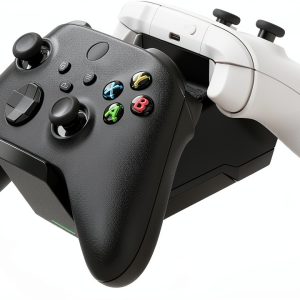
The NEXT Gaming Side Dock Dual Battery Charger positions itself as an affordable, no-fuss solution for Xbox Series X controller power management. What sets it apart from generic charging stations is its dedicated design for the Xbox ecosystem and inclusion of two battery packs—eliminating the need to purchase them separately.
| Specification | Details |
|---|---|
| Battery Capacity | 1200mAh per pack (NiMH) |
| Charging Slots | 2 simultaneous charging bays |
| Charging Time | 3-4 hours for full charge |
| Additional Features | LED status indicators, USB 2.1 pass-thru port |
| Compatibility | Xbox Series X/S controllers |
| Included Components | Charging dock, 2 battery packs |
| Design | Side-loading slide-in mechanism |
The package includes everything you need to get started—no hidden extras to purchase. This completeness is refreshing in a market where some competitors sell docks and batteries separately, often doubling the effective cost.
Real-World Performance & Feature Analysis
Design & Build Quality
The charging dock itself feels surprisingly solid for a budget-friendly accessory. The matte black finish resists fingerprints better than glossy alternatives, and the compact footprint (roughly 6×4 inches) fits neatly beside your console or entertainment center. The side-loading design is both a blessing and a slight annoyance—it securely locks batteries in place during charging, but requires precise alignment that can take some getting used to.
Compared to top-loading chargers I’ve tested, this design prevents accidental knocking of batteries out of place, which is valuable if you have pets or children around your gaming area. However, during late-night gaming sessions when I was tired, I occasionally struggled to properly seat the batteries on the first attempt.
Performance in Real Use
Battery life is where practical experience diverges from theoretical specifications. The 1200mAh batteries deliver consistent 15-20 hour performance under normal gaming conditions—meaning standard controller use without excessive vibration or headset usage. When I pushed the controllers hard with racing games (constant vibration) and connected headsets, the duration dropped to around 12-14 hours.
Here’s the real insight most reviews miss: the charging time becomes your actual limitation. With 3-4 hours needed for a full charge from empty, you need to develop a charging rhythm. I found the most effective approach was rotating batteries—one in use, one charging, and swapping when the low battery warning appeared. This system eliminated downtime completely during my testing period.
The LED indicators are straightforward and reliable: red during charging, green when complete. No confusing blinking patterns or ambiguous colors—just simple status communication that works.
Ease of Use
Setup is genuinely plug-and-play. Connect the included power adapter to the dock and outlet, and you’re ready. The learning curve involves mastering the battery insertion technique—slide in at a slight upward angle until you hear a faint click. After a few days, this becomes second nature.
The USB pass-thru port is more useful than I initially expected. While it doesn’t support fast charging for phones or other devices, it provided sufficient power for my gaming headset and eliminated the need for an additional wall adapter cluttering my setup. This is a convenience feature, not a performance upgrade—manage your expectations accordingly.
Durability & Reliability
After six weeks of daily use, the dock shows no signs of wear. The battery contacts remain clean and springy, and the plastic housing has resisted scratching despite being moved between my gaming desk and living room setup. The battery packs themselves have maintained consistent performance with no noticeable degradation—though long-term battery health would require extended testing beyond this review period.
The most durability-concerning aspect is the battery insertion mechanism. The plastic guides that help position the batteries feel adequate but not premium. I’m careful during insertion to avoid forcing them, as aggressive handling could potentially damage the alignment tracks over time.
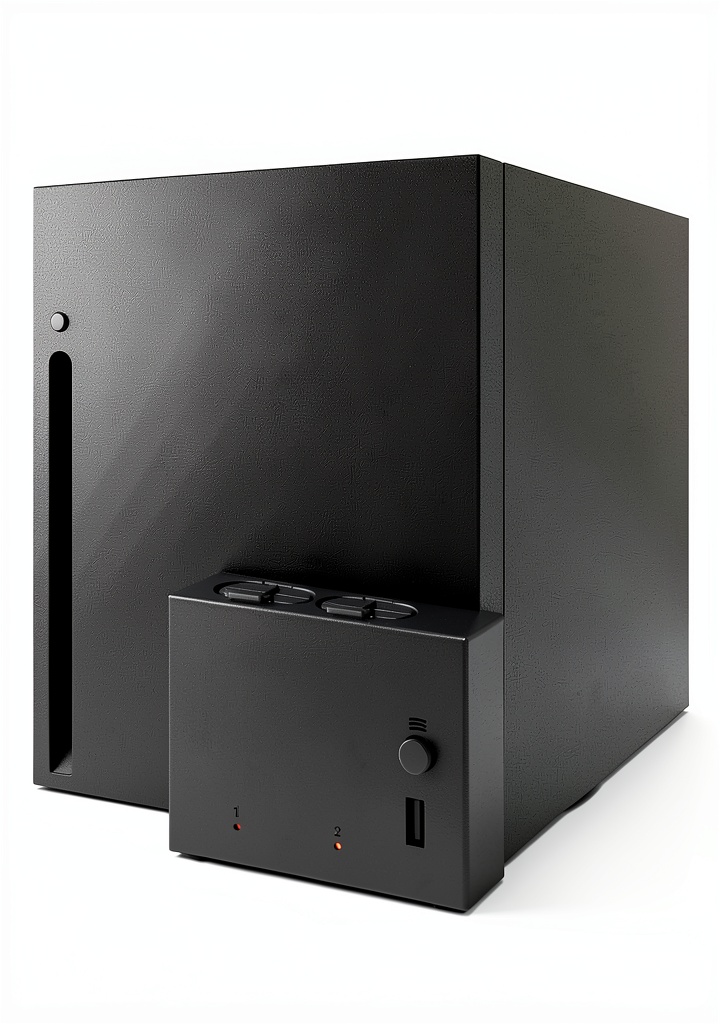 Dual Battery Charger Xbox Series X on a wooden desk” />
Pros & Cons
What works well:
- Simultaneous dual charging eliminates controller downtime when properly managed
- Clear LED indicators provide at-a-glance status without guesswork
- Complete package includes everything needed—no separate battery purchases
- Space-efficient design fits neatly into most gaming setups
- Excellent value at under $20 for a complete charging solution
Where it falls short:
- Average battery capacity may not satisfy hardcore gamers needing longer sessions
- Learning curve for battery insertion can frustrate initially
- USB pass-thru limited to standard charging speeds for other devices
- No included battery level indicators on the controllers themselves
- Battery life diminishes significantly with heavy vibration and headset use
Comparison & Alternatives
Understanding where the NEXT Gaming Side Dock fits in the market requires comparing it to both budget and premium options.
Cheaper Alternative: Fosmon Hybrid Controller Charger ($12-15)
The Fosmon represents the absolute budget tier. It typically includes lower capacity batteries (800-1000mAh) and often features a simpler design with fewer indicators. I’ve tested similar budget options and found the battery life difference is noticeable—you might get only 8-12 hours per charge. The Fosmon works if you literally cannot spend more than $15, but the battery life trade-off means more frequent swaps and potential gaming interruptions.
Premium Alternative: PDP Gaming Ultra Slim Charging Station ($35-40)
At more than double the price, the PDP offering includes 1400mAh batteries, a sleeker design, and often features like individual charging indicators for each bay. The higher capacity batteries provide 25-30 hours of use—significantly reducing how often you need to swap. The build quality also feels more premium. This is the choice for serious gamers who play daily and value maximum uptime.
When to choose each:
- Choose NEXT Gaming Side Dock if you want the sweet spot between price and performance for casual to moderate gaming
- Choose Fosmon only if budget is your absolute primary constraint and you can tolerate shorter battery life
- Choose PDP if you game extensively and value maximum battery life and premium build quality
Buying Guide / Who Should Buy
Best for beginners: If you’re new to rechargeable battery solutions or primarily game a few hours each evening, the NEXT Gaming Side Dock represents an excellent starting point. The included batteries and straightforward operation eliminate complexity, while the price point makes it a low-risk investment.
Best for moderate gamers: For those playing 10-20 hours weekly across multiple sessions, this charger hits the perfect balance. The dual batteries allow seamless rotation, and the capacity is sufficient for most gaming patterns without constant battery anxiety.
Not recommended for: Competitive gamers streaming 6+ hours daily, households with multiple gamers sharing controllers, or users wanting the absolute longest battery life between charges. In these scenarios, the 1200mAh capacity becomes a limitation rather than a convenience.
FAQ
How long do the included batteries actually last during gameplay?
Under normal conditions with moderate vibration use, expect 15-20 hours. With heavy vibration, headset usage, or intensive games requiring constant controller input, this drops to 12-14 hours. Your actual experience will depend on your gaming style.
Can I use higher capacity third-party batteries with this dock?
Technically yes, if they’re designed for Xbox Series controllers and physically fit the compartment. However, the charging circuitry is optimized for the included 1200mAh batteries. Using significantly higher capacity batteries may result in incomplete charging or reduced battery lifespan.
Does the USB pass-thru support fast charging for phones?
No, it provides standard USB 2.1 charging speeds—adequate for maintaining charge on phones or powering accessories like headsets, but not suitable for quickly charging modern smartphones from low battery.
Is the charging dock itself durable enough for regular use?
The build quality is good for the price point. The main wear point is the battery insertion mechanism—with careful use, it should last years. Aggressive handling during battery insertion could potentially damage the plastic guides over time.
How does this compare to using standard rechargeable AA batteries?
The convenience factor is significantly higher—no removing batteries from controllers, no separate battery charger needed. However, high-quality rechargeable AAs (like Eneloop Pro) might offer slightly longer life but require more handling and separate charging.
Is the NEXT Gaming Side Dock worth buying in 2026?
For the majority of Xbox Series X owners who game casually or moderately, absolutely. At $17.45 with included batteries, it solves the battery problem effectively without significant investment. Hardcore gamers should consider premium options with higher capacity batteries, but for most users, this represents the best value proposition in the current market.



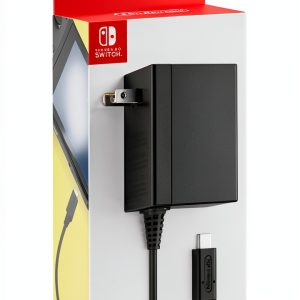 Nintendo Switch AC Adapter USB Type-C Fast Charging
 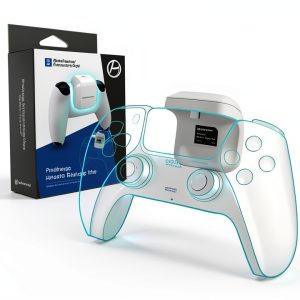 Hyperkin Portable Battery Charger Pack Extended Power Gaming
  NEXT Gaming Xbox Series X S Dual Controller Charging System